# パスワード

#### 全てのパスワードはiPadに保存されます。初めてパスワードを設定した時にパスワードを保存するか聞かれます。以下の動画を視聴してください。

<video controls="controls" height="600" poster="" width="800"><source src="https://moodle.taisei.ac.jp/bookstackvideo/saveapssword.mp4" type="video/mp4"></source></video>

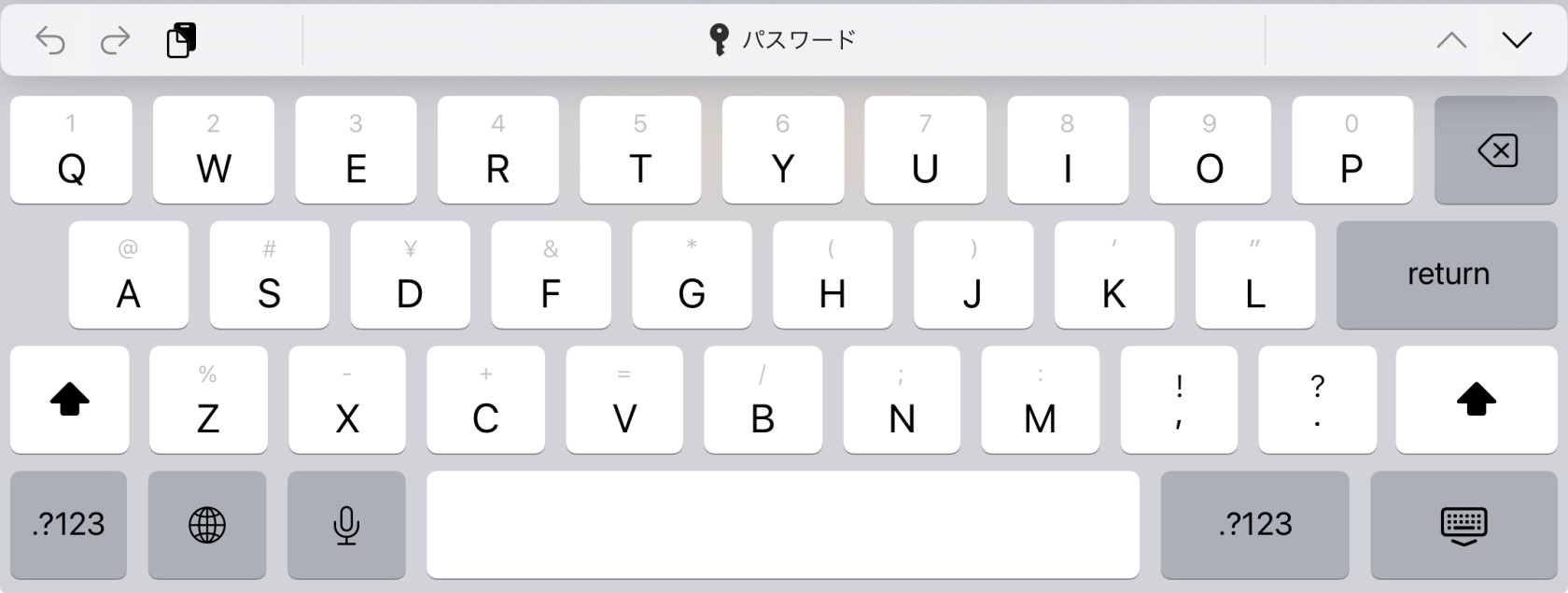
#### 保存した全てのパスワードはキーボード上にあるパスワードメニューか設定から利用することができます

#### **パスワードメニュー**<video controls="controls" height="600" style="width: 800px; height: 600px;" width="800"> <source src="https://moodle.taisei.ac.jp/bookstackvideo/passwordkeyboard.mp4" type="video/mp4"></source></video>

#### **パスワードの表示を押す**

![Weblio Study  ログイン.jpeg](https://studio.etghs.com/uploads/images/gallery/2024-02/scaled-1680-/weblio-study.jpeg)

#### **設定**

<video controls="controls" height="600" style="width: 800px; height: 600px;" width="800"> <source src="https://moodle.taisei.ac.jp/bookstackvideo/settingspassword.mp4" type="video/mp4"></source></video>

All your passwords are saved on you iPad. When you first use a password you will be asked to save the password. See the video below.

You can access your saved passwords from the password menu on the keyboard or in the settings.