# iPadを使う
**学校や家でのiPadの使用方法**
# パスワード
#### 全てのパスワードはiPadに保存されます。初めてパスワードを設定した時にパスワードを保存するか聞かれます。以下の動画を視聴してください。
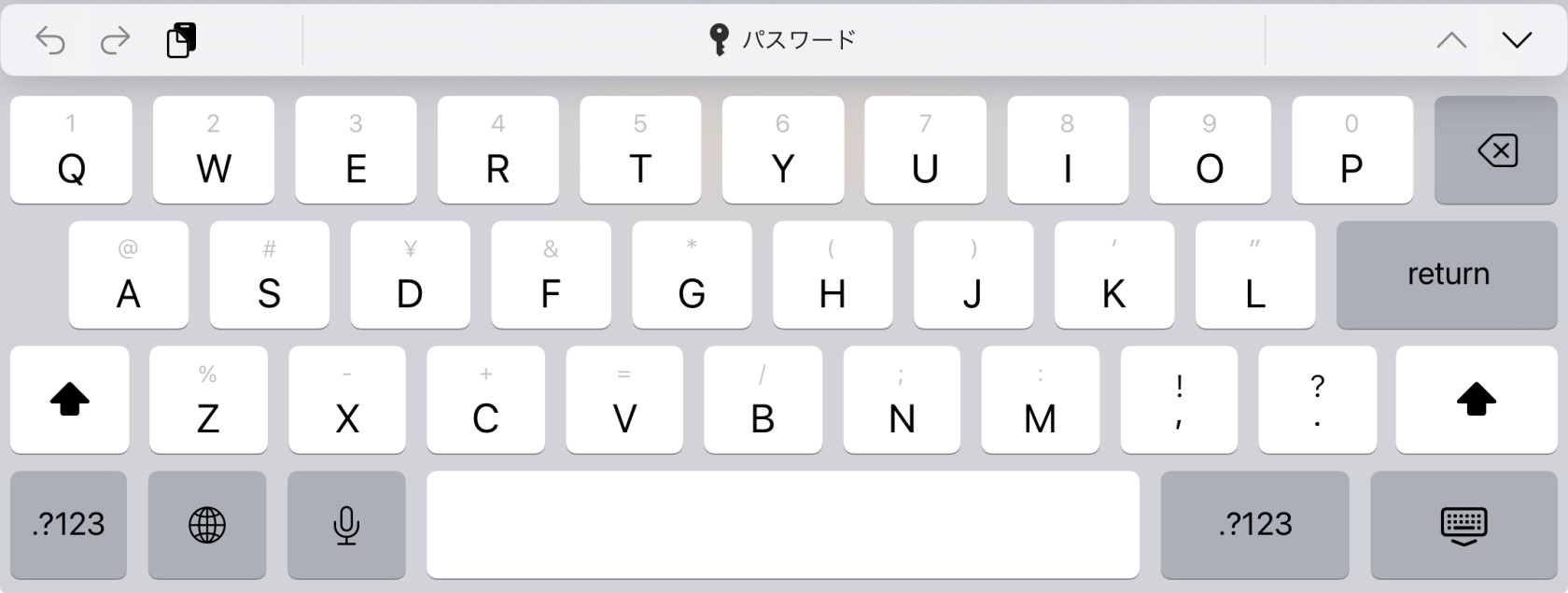
#### 保存した全てのパスワードはキーボード上にあるパスワードメニューか設定から利用することができます
#### **パスワードメニュー**
#### **パスワードの表示を押す**
#### **設定**
All your passwords are saved on you iPad. When you first use a password you will be asked to save the password. See the video below.
You can access your saved passwords from the password menu on the keyboard or in the settings.
# スクールワーク
####
#### このアプリは先生にプリントや課題の提出するため、もしくはファイルなどを受け取るために使用します。
#### 以下がユーザーガイドのリンクです。
#### [スクールワークユーザガイド](https://support.apple.com/ja-jp/guide/schoolwork-student/welcome/ios "Schoolwork student's manual")
This app is used to send and receive prints and other files from your teachers.
Below is a link to the user guide.
# Pages
### 
#### Pagesは文書の作成や編集を行うアプリです。レポートを書くのに使用します。
#### 以下がユーザーガイドのリンクです。
#### [Pagesユーザガイド](https://support.apple.com/ja-jp/guide/pages-ipad/welcome/ipados "Pages user guide")
Page is a word processing app. You use this for writing reports.
Below is a link to the user guide.
# Keynote
#### Keynoteはスライドを作る時に使用します。
#### 以下がユーザーガイドのリンクです。
[Keynoteユーザガイド](https://support.apple.com/ja-jp/guide/keynote-ipad/welcome/ipados)
# Numbers
#### NumbersはExcelのような表計算アプリです。
#### 以下がユーザーガイドのリンクです。
#### [Numbers ユーザガイド](https://support.apple.com/ja-jp/guide/numbers-ipad/welcome/ipados)
# iMovie
#### iMovieは動画作成、動画編集のためのアプリです。
#### 以下がユーザーガイドのリンクです。
#### [iMovieユーザガイド](https://support.apple.com/ja-jp/guide/imovie-ipad/welcome/ipados)
# Teams
# Classi
# Weblio Study
# Weblio Eikaiwa
# Libry
# Moodle
Moodle is used by some teachers for digital lessons. The lessons are made by Taisei teachers.